
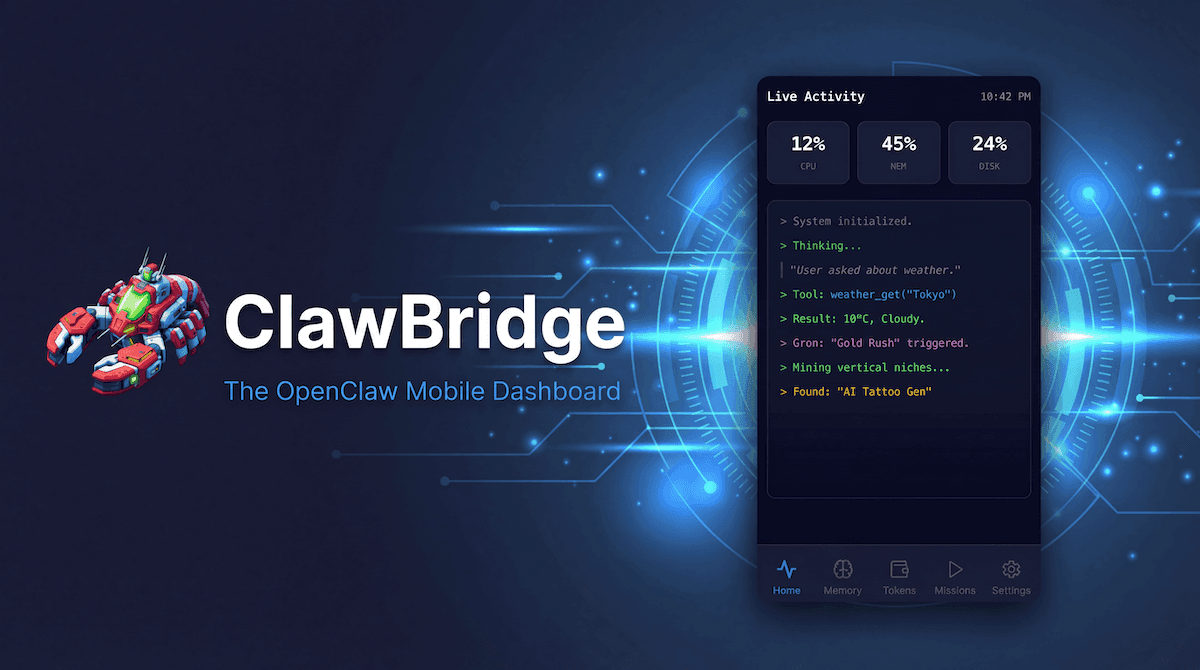
When you run an autonomous AI agent like OpenClaw on a remote server, it can easily feel like a black box. You submit a prompt and then… wait. Is it stuck? Is it reading the right files? Is it planning correctly? Without visibility into the agent's internal monologue, debugging becomes a frustrating cycle of trial and error.
The Live Thoughts feature in ClawBridge solves this by bringing the agent's real-time reasoning directly to your mobile screen.
Why Watching Your Agent "Think" Matters
If your agent makes a mistake during execution—for instance, misinterpreting a complex instruction and starting to modify the wrong codebase—you historically wouldn't know until the damage was done.
By tracking the Chain-of-Thought (CoT) live:
- You catch hallucination early: Spot logic failures before the agent executes destructive tool calls.
- You eliminate SSH anxiety: No need to stay chained to your desktop terminal to tail log files.
- You learn how the model reasons: Seeing the step-by-step logic helps you craft better prompts in the future.
How the Live Thoughts Feed Works
ClawBridge hooks into your OpenClaw node's log pipeline, parses the raw output, and presents it in a clean, human-readable terminal UI right in your browser.
- Auto-Deduplication: Raw agent logs are notoriously noisy. ClawBridge automatically groups repetitive loops and deduplicates identical tool calls, keeping your feed readable without scrolling fatigue.
- Syntax Highlighting: Tools, reasoning blocks, and results are color-coded. When the agent triggers
readFile, it pops out in blue. When it hits an error, it flags in red. - Real-Time Streaming: As long as your dashboard is open, thoughts stream in with sub-second latency via WebSocket/polling optimizations.
Common Use Cases
1. Debugging a Stuck Agent
If your agent hasn't responded in 10 minutes, open the Live Thoughts tab. You might see it repeatedly trying to parse a 20MB JSON file and hitting a context window limit. You can immediately step in and kill the process.
2. Monitoring Long-Running Tasks
Executing a massive codebase refactor? Launch the task, leave for coffee, and casually check your phone to make sure the agent is successfully navigating the directories and creating the right files.
3. Tuning Custom Tools
When you write a custom tool for OpenClaw, the Live Thoughts feed is the easiest way to verify if the agent understands the tool's schema and is passing the correct arguments.