
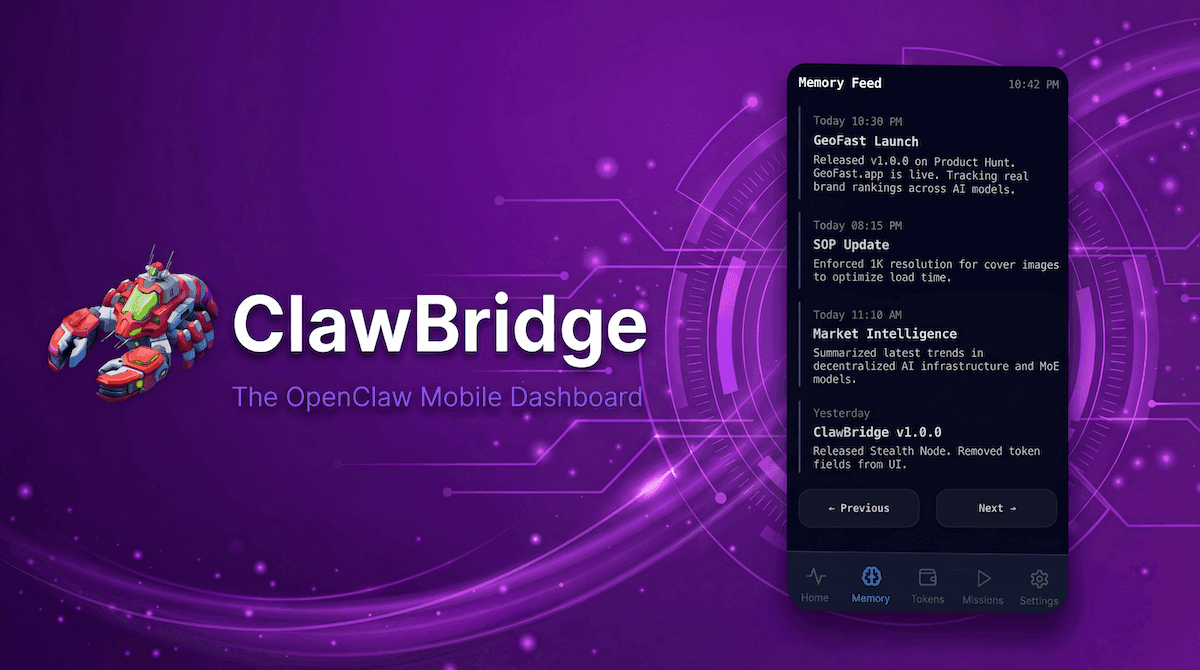
Autonomous agents aren't just stateless scripts; the best ones evolve. Over time, OpenClaw learns your preferences, discovers facts about your environment, and logs critical insights. But how do you keep track of what your AI actually remembers?
The Memory Feed in ClawBridge is a mobile-first, timeline-based UI designed to let you scroll through your agent's long-term memory just like you would scroll through a social media feed.
The Problem: Memory Drift and Black-Box Context
When you use an agent daily, its context window grows complex. It might learn that you prefer Python 3.10 over 3.12, or that your database password is saved in a specific .env file.
However, sometimes agents experience "memory drift"—they store an incorrect assumption or an outdated fact. If you can't see the agent's memory, you can't correct the drift. Slowly, the agent's performance degrades, and you're left wondering why it suddenly stopped working correctly.
Introducing the Journal Feed
ClawBridge transforms abstract vector databases and JSON memory files into a beautifully formatted, chronological journal.
Key Features of the Memory Feed:
- Chronological Timeline: See exactly when the agent learned a piece of information. Was it today at 10 AM, or three weeks ago?
- Categorized Entries: Memories are tagged (e.g., preference, fact, system state) so you can scan for what matters.
- Mobile-Optimized Pagination: Swipe and tap through days of memories without overwhelming your screen.
- Readability First: Raw JSON is translated into summarized, plain-English tiles (
"User prefers light mode interfaces").
Why You Need a Memory Dashboard
1. Auditing Agent Behavior
If OpenClaw makes a bizarre decision, the Memory Feed is the first place you check. You might discover an entry from yesterday: "User told me to always delete old logs." By identifying the bad memory, you know exactly what to tell the agent to "forget."
2. Reviewing Daily Summaries
Did your agent run background summarization tasks while you slept? Open the Memory Feed over morning coffee to read the concise journal entries of what it accomplished overnight.
3. Handoffs and Context Sharing
If you're moving a mature agent to a new server or sharing a configuration with a team member, reviewing the Memory Feed ensures no sensitive or irrelevant memories are inadvertently carried over.