
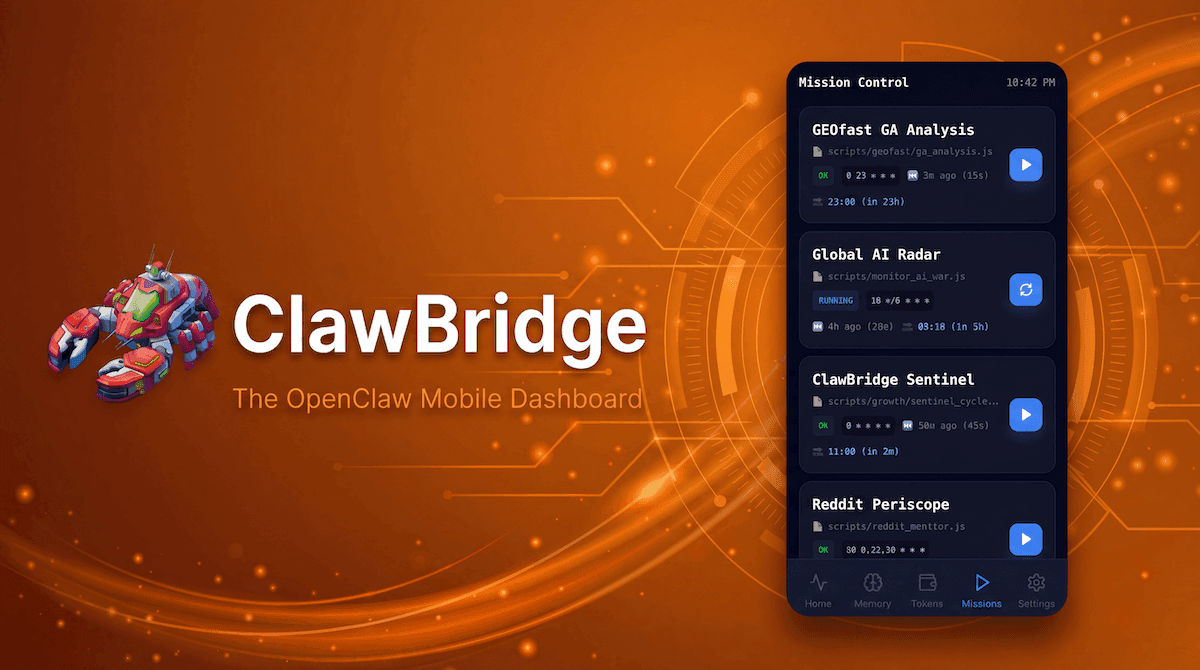
The whole point of autonomous agents is that they work while you don't. But what happens when you need to trigger a specific script, pause a background job, or hit the emergency kill switch while you're away from your desktop terminal?
Mission Control in ClawBridge turns your smartphone into a remote command center for all your OpenClaw agents. Manage your scheduled tasks and execute manual overrides without writing a single line of SSH commands.
The Problem: The Terminal Tether
When you deploy OpenClaw on a home server or an AWS instance, interacting with the agent usually requires firing up a terminal, connecting via SSH, navigating to the directory, and running Node scripts or checking cron logs.
If an agent gets stuck in a loop, deleting files it shouldn't, or burning through API credits, you need to be at your keyboard immediately. This makes running experimental agents anxiety-inducing when you step away from your desk.
Your Mobile Command Center
ClawBridge solves this by exposing a read/write control panel directly through the mobile web interface.
Key Capabilities
- Emergency Kill Switch: If you see (via the Live Thoughts feed) that an agent is doing something destructive, hit the Emergency Stop button. ClawBridge safely interrupts the Node runtime and halts execution instantly.
- Trigger Cron Jobs Manually: Have a script that summarizes Reddit posts every morning at 6 AM? If you want an ad-hoc report at 2 PM, simply open Mission Control, find the task, and tap "Run Now."
- Monitor Scheduled Tasks: View a clean list of all your scheduled agent jobs. See the exact time they last ran, how long they took (e.g., 15s), and when they are scheduled to run next.
- Restart Gateways: If your OpenClaw node loses connection to a specific API provider or requires a soft reset, you can trigger a restart of the Node server securely from the interface.
Use Cases
1. Stopping a Rogue Agent
You deployed an agent to clean up dummy text files in an archive, but it incorrectly identified your documents folder. You open Mission Control on your iPhone, hit the bright red Emergency Stop, and prevent a disaster.
2. Ad-hoc Content Generation
Your OpenClaw agent handles drafting social media posts every evening. A massive piece of industry news just dropped, and you want an agent to jump into action immediately. A simple tap on "Global AI Radar -> Play" forces the script to execute out-of-schedule.
3. Server Health Checks
You notice your CPU is maxed out. Mission Control clearly indicates which script is currently RUNNING. You can verify if it's a legitimately heavy processing task or a stuck loop, and act accordingly.